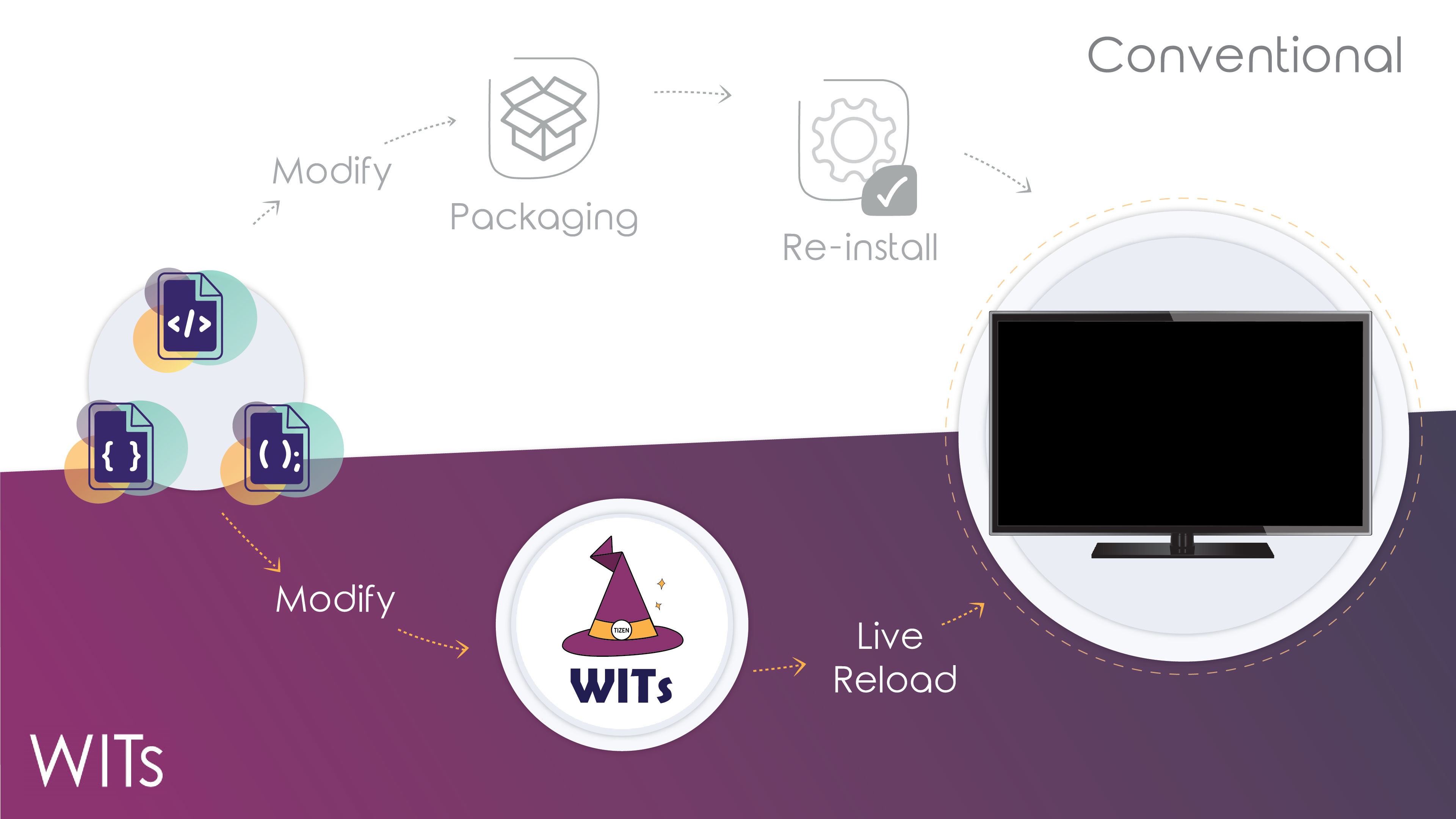
开发Samsung TV也一段时间了,经常过tizen cli 及sdb connect 的折磨(小声点,sdb是samsung基于adb的二次开发,各种阉割…)后迎来一个算是不错hot-reload开发,但由于电视的基于sdb push的更新+ wgt-> 解压-> iframe包着当前包的. 下面来简单介绍安装方法。
1. 安装WITs依赖
1 | $ cd ~/{path-to}/Wits |
2. 更改 .witsconfig.json 在 Wits 的目录内.
The default path is tizen-studio-data/profile/profiles.xml on Mac and Windows both.
配置对应的 Tizen Studio 证书 Profile path profiles.xml所对应的路径到
.witsconfig.json
默认 path是 tizen-studio-data/profile/profiles.xml 都在mac与Windows系统上。
系统要求
WITs 需要进一步地在你本地开发机器上配置对应的的步骤。
1. 打开 Terminal(终端器) on MacOS / Linux or CMD (命令提示符) / PowerShell on Windows
2. 安装 Node.js 和 Git (推荐 v7.10.1 ~)
我们不能很好告诉你这些安装步骤,因为有太多方法与开发者各有自己的性能配置,但我们推荐你使用一些,例如 nvm 或 asdf 等的项目管理器去管理不同的Node.js 版本去控制你的代码项目。
3. 安装最新的 Samsung Tizen Studio.
4. 打开你的Samsung电视上的开发者模式:
- 1 With your Samsung Remote, press the
Homebutton. - 1 使用你的三星遥控器,按
Home的按键。 - 2 Navigate to the
Appsbutton and pressEnter/OK. - 2 移动所选到
Apps的按键并按Enter/OK。 - 3 When on the
Appsscreen, press12345in order on the remote to open theDeveloper Mode Dialog. If this doesn’t work, try it again. - 3 如当前显示
Apps屏幕,依次在遥控器上按12345并同时弹出开发模式对话框,如果不成功或不出现,再一次尝试。 - 4 When the Developer Mode Dialog appears, toggle the switch to
Onand enter the IP address of your development machine. - 4 当开发者对话框出现, 切换并点击按钮
On和 输入你的开发机器所对应的IP地址。
当然,官方的中繁都是我翻译的的,见:
https://github.com/Samsung/Wits/blob/master/doc/README_zh_HANS.md
https://github.com/Samsung/Wits/blob/master/doc/README_zh_HANT.md
